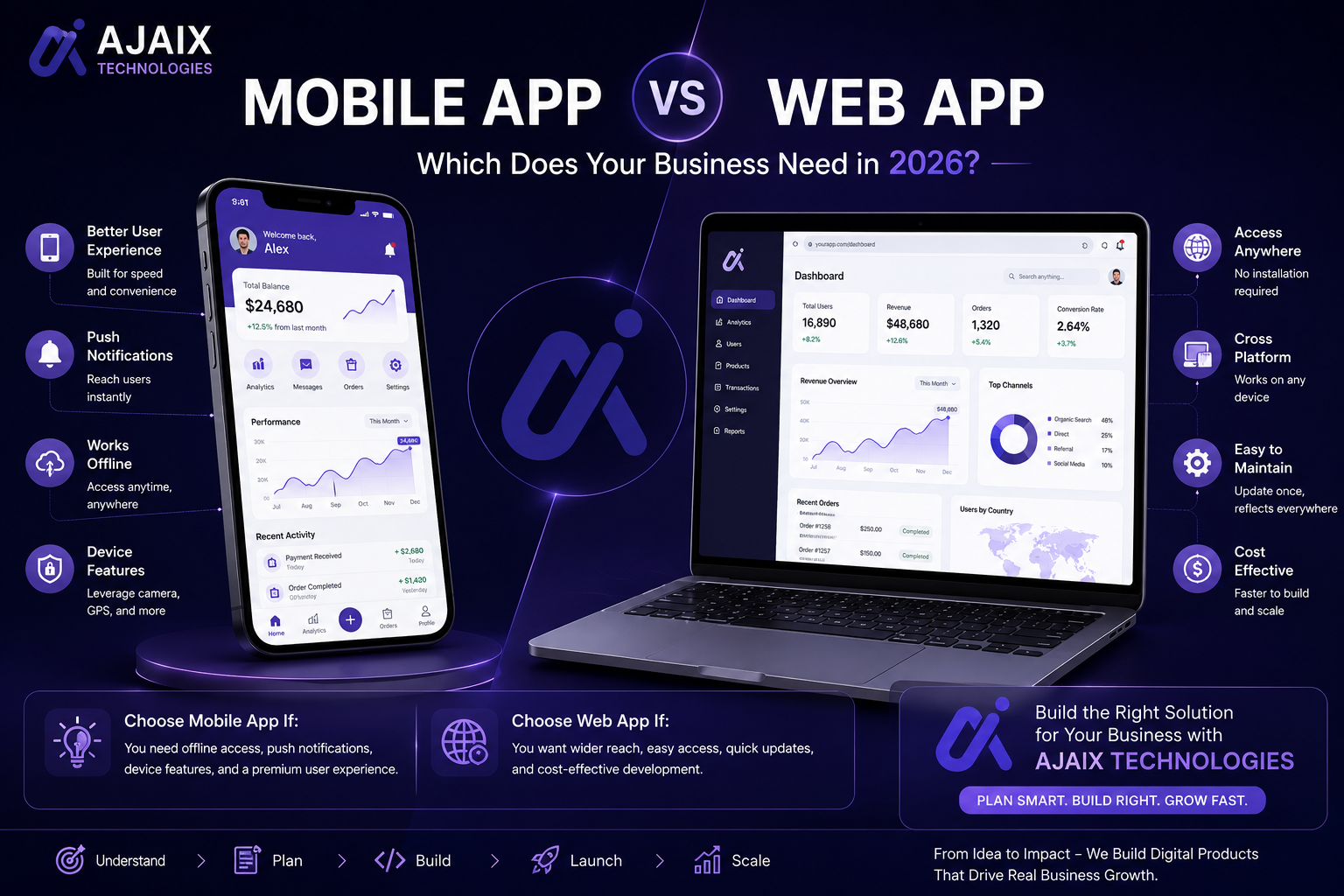
Mobile App vs Web App: Which Does Your Business Need in 2026?
Mobile app or web app — it is one of the most common and most consequential technology decisions a business makes. This guide cuts through the confusion with a clear, practical framework for choosing the right option for your specific situation.
Mobile App vs Web App: Which Does Your Business Need in 2026?
At some point in the growth of almost every business, the question comes up: should we build a mobile app or a web app?
It seems like it should have a straightforward answer. In practice, it is one of the decisions that founders and business leaders most consistently get wrong — either defaulting to a native mobile app because it feels more serious and ambitious, or defaulting to a web app because it seems simpler and cheaper, without actually working through which choice fits their specific situation.
Getting it wrong is expensive. A native mobile app built for a use case that a web app would have served equally well costs two to three times more to build and significantly more to maintain. A web app built for a use case that genuinely required native mobile capabilities — offline access, hardware integration, high-frequency daily use — delivers a substandard user experience that limits adoption and retention.
In 2026, the landscape has also changed. Progressive Web Apps (PWAs) have matured significantly, cross-platform frameworks have narrowed the cost and capability gap between native and web, and the criteria for choosing between approaches are more nuanced than they were five years ago.
This guide gives you a clear, honest framework for making the right choice — based on your users, your use case, your budget, and your long-term roadmap.
Table of Contents
- Defining the Options: Web App, Native Mobile App, PWA, and Cross-Platform
- The Core Question: How and Where Do Your Users Engage?
- Capability Comparison: What Each Approach Can and Cannot Do
- Cost Comparison: Development and Ongoing Maintenance
- User Experience: Where Each Approach Wins
- Distribution and Discovery: App Stores vs the Web
- Performance Compared
- Offline Access and Connectivity
- Development and Maintenance Over Time
- Progressive Web Apps: The Middle Ground Worth Considering
- Cross-Platform Development: React Native and Flutter in 2026
- When to Choose a Web App
- When to Choose a Native Mobile App
- When to Build Both
- Side-by-Side Comparison Table
- What Ajaix Technologies Recommends
- Frequently Asked Questions
1. Defining the Options: Web App, Native Mobile App, PWA, and Cross-Platform {#defining-options}
Before comparing the options, it is important to define precisely what each term means — because imprecise language leads to imprecise decisions.
Web Application
A software application that runs in a web browser — accessible on any device with a browser and an internet connection, without installation. Built with web technologies (HTML, CSS, JavaScript) and typically served from a web server. Can be accessed on desktop, tablet, and mobile through the same URL.
Native Mobile Application
An application built specifically for a single mobile platform — iOS (using Swift or Objective-C) or Android (using Kotlin or Java) — using that platform's native development tools and APIs. Installed from an app store and runs directly on the device's operating system.
Progressive Web App (PWA)
A web application built with modern web APIs that provide capabilities traditionally associated with native apps — offline access, push notifications, home screen installation, and hardware access. Accessed through a browser but installable on the home screen and operable without a constant internet connection.
Cross-Platform Mobile App
A mobile application built with a framework — React Native or Flutter — that generates native iOS and Android applications from a single shared codebase. Behaves like a native app on both platforms while avoiding the cost of maintaining two separate native codebases.
Each of these is a legitimate option with genuine strengths and real limitations. The right choice depends on which strengths matter most for your specific use case.
2. The Core Question: How and Where Do Your Users Engage? {#core-question}
Before any other consideration, the most important question is: how, where, and how frequently do your users engage with your product?
The answer to this question determines more about the right technology choice than any capability benchmark or cost comparison.
Context of Use
Is your product used at a desk during working hours — the context of enterprise software, dashboards, and professional tools? Or is it used on the move, in the field, in situations where a phone is the only available device? A field service application used by technicians away from the office has fundamentally different context requirements than a reporting dashboard used by analysts at their workstations.
Frequency of Use
How often does a typical user engage with your product? Daily, multiple times a day, constantly — or occasionally, when a specific need arises? High-frequency, habitual use patterns favour native mobile apps. Occasional, task-driven use patterns often work perfectly well in a web app.
Session Length and Depth
Are users spending five minutes completing a specific task, or extended sessions doing complex, multi-step work? Extended, complex sessions with rich data interaction tend to work better on larger screens with keyboard and mouse — the natural context for web apps. Brief, contextual interactions tend to work better on mobile.
Connectivity Context
Are your users reliably connected to the internet when using your product, or do they operate in environments with intermittent or absent connectivity? Offline capability is one of the strongest arguments for native mobile — and one of the clearest use case determinants.
Getting clear answers to these questions about your specific users — through research, interviews, or existing usage data — is more valuable than any generic comparison framework.
3. Capability Comparison: What Each Approach Can and Cannot Do {#capability-comparison}
The capability gap between web apps and native mobile apps has narrowed significantly in 2026 — but it has not closed entirely. Understanding where genuine capability differences remain is essential to an informed decision.
Native Mobile Capabilities Web Apps Cannot Match
Full offline functionality: Native apps store data locally and sync when connectivity is available — enabling full functionality in environments with no internet access. PWAs approximate this for read-heavy use cases but remain limited for complex offline workflows.
Push notifications: Native push notifications — delivered to the device lock screen regardless of whether the app is open — remain more reliable and more capable on native mobile than PWA equivalents in iOS environments specifically.
Hardware access: Deep integration with device hardware — camera, GPS, accelerometer, gyroscope, NFC, Bluetooth, biometric sensors — is more complete and more reliable in native apps than in web apps. Web APIs for hardware access have improved but still lag behind native capabilities on some platforms.
Background processing: Native apps can perform tasks in the background — syncing data, processing notifications, updating location — while the app is not in the foreground. Web apps are largely limited to foreground operation.
App Store presence: Distribution through the Apple App Store and Google Play Store provides discovery channels, institutional trust signals, and payment infrastructure that web apps do not have access to.
Web App Capabilities Native Apps Cannot Match
Universal accessibility: A web app is accessible on any device with a browser — desktop, laptop, tablet, mobile, smart TV — without installation. No app store approval, no download required, no platform restrictions.
Instant updates: Web app updates are deployed server-side and immediately available to all users. Native app updates require app store review and user installation — creating version fragmentation and delaying the delivery of fixes and features.
SEO and organic discoverability: Web apps can be found through search engines. Native apps cannot be indexed by Google in the same way. For products where organic search is a customer acquisition channel, this is a significant advantage.
Lower friction to try: Opening a URL has dramatically lower friction than downloading an app. For products where the first experience is critical to conversion, the web's zero-installation accessibility is a meaningful advantage.
4. Cost Comparison: Development and Ongoing Maintenance {#cost-comparison}
Cost is rarely the only consideration — but it is always a significant one. The cost difference between a web app and a native mobile app is substantial, and understanding it clearly is essential to making a budget-informed decision.
Web App Development Cost
A web application is developed once and runs everywhere. A single codebase, built with web technologies, serves desktop and mobile users through the same deployment. Development cost reflects the complexity of the functionality — not the multiplication of platforms.
Native iOS + Android Development Cost
Building native apps for both iOS and Android means maintaining two separate codebases, two separate development workflows, two separate testing processes, and two separate app store submission and review processes. This typically costs 1.8 to 2.5 times the cost of a single web application of equivalent functionality — both in initial development and in ongoing maintenance.
Cross-Platform Mobile Development Cost
React Native and Flutter reduce this cost significantly by sharing a single codebase across iOS and Android. Cross-platform development typically costs 1.2 to 1.5 times the equivalent web application — a meaningful premium, but significantly less than dual native development. The trade-off is some limitations in accessing the most platform-specific native capabilities.
Ongoing Maintenance Cost Multiplier
The cost difference is not just in initial development — it compounds over time. Every feature addition, every bug fix, every design update, and every platform OS update must be applied across all codebases. For native iOS and Android, this means every change costs approximately twice the equivalent web app change. App store review cycles add delays. OS updates from Apple and Google periodically require application updates to maintain compatibility. These ongoing costs are frequently underestimated when the initial build decision is made.
5. User Experience: Where Each Approach Wins {#user-experience}
User experience is where the native vs web debate becomes most nuanced — because the answer depends entirely on the type of interaction your product delivers.
Where Native Mobile Wins on UX
Native apps deliver the interaction patterns users expect on their specific device — the iOS swipe gestures, the Android navigation model, the haptic feedback, the smooth animations that run at 60fps without the rendering overhead of a browser. For products used frequently on mobile, in physical contexts, or for interactions that benefit from deep device integration, native apps provide a qualitatively superior experience that users notice and appreciate.
Gaming, fitness tracking, mobile banking, social media, and any product where the phone itself is the primary interface — camera, location, sensors — are examples where native delivers an experience web cannot match.
Where Web Apps Win on UX
For complex, data-rich workflows — dashboards, reporting tools, document editors, project management applications, CRMs — the desktop web experience with a full keyboard, mouse precision, and large screen real estate is genuinely superior to mobile, native or otherwise. Building a native mobile app for a use case that is inherently better on desktop adds cost without improving the experience for the majority of users.
Web apps also win on the experience of getting started — no download, no installation, no account creation required before seeing value. For products where first-impression conversion matters, the friction difference is real and measurable.
6. Distribution and Discovery: App Stores vs the Web {#distribution}
The distribution model of your product has implications beyond just how users find it — it affects the economics, the relationship with users, and the control you have over the product experience.
App Store Distribution
The Apple App Store and Google Play Store provide discoverability within their search ecosystems, institutional trust signals (users are accustomed to installing apps from stores they trust), and built-in payment infrastructure for paid apps and in-app purchases. App stores also handle distribution of updates, installation management, and device compatibility filtering.
The costs: Apple charges 15–30% commission on all in-app purchases and subscriptions, and requires app review for every release — introducing delays and the risk of rejection. Google's Play Store has similar commission structures. Both platforms exercise significant control over what can and cannot be distributed, which represents a dependency risk for products whose use case is adjacent to platform policies.
Web Distribution
Web apps are distributed through URLs — shareable, linkable, indexable by search engines, and accessible without installation. There are no platform gatekeepers, no commission on transactions, and no review delays for updates. Web distribution also enables the full power of SEO — content and product pages that can be discovered organically by users searching for exactly what you offer.
The limitation: web apps do not appear in app store searches, which are significant discovery channels for consumer products. And the absence of the app store installation step means web apps are not part of the habitual "check my apps" behavior that drives retention for many consumer mobile products.
7. Performance Compared {#performance}
Performance is a dimension where native has historically held a clear advantage — but the gap has narrowed meaningfully in 2026.
Native Performance Advantages
Native apps run directly on the device's operating system with direct access to hardware resources. Animations, transitions, and graphics-intensive operations run with minimal overhead. For performance-sensitive use cases — gaming, augmented reality, video processing, real-time sensor data — native remains the clear choice.
Modern Web Performance
Modern web applications, built with performance-first frameworks like Next.js and optimized with server-side rendering, edge deployment, and efficient JavaScript bundles, deliver performance that is indistinguishable from native for the vast majority of business application use cases. The performance gap that was pronounced five years ago has narrowed to the point where it is no longer a meaningful differentiator for most enterprise software, productivity tools, and information-heavy applications.
Where Performance Differences Still Matter
The remaining performance gap is most visible in: graphics-intensive applications (gaming, 3D visualization, AR/VR), real-time data processing at high frequency, complex animations and physics simulations, and applications that need to run at 120fps on high-refresh-rate displays. For standard business applications — forms, data display, CRUD operations, dashboards — web performance in 2026 is entirely adequate.
8. Offline Access and Connectivity {#offline-access}
Offline capability is one of the clearest differentiators between native mobile and web applications — and one of the strongest arguments for native when it is genuinely required.
Native Offline Capabilities
Native apps store data locally on the device, synchronize with the server when connectivity is available, and provide full or near-full functionality in offline environments. Field service applications, logistics tools, inventory management systems used in warehouses, and healthcare applications used in connectivity-poor environments all benefit significantly from native offline capability.
Web and PWA Offline Capabilities
Progressive Web Apps can cache application assets and certain data for offline access using Service Workers — enabling read access to cached content and limited write functionality with background sync. For applications where offline means "read previously loaded content" rather than "full two-way data interaction," PWA offline capabilities are often sufficient.
For applications requiring full offline data entry, complex conflict resolution when syncing, or reliable offline operation in demanding environments — native remains the stronger choice.
9. Development and Maintenance Over Time {#development-maintenance}
The development and maintenance implications of each choice extend well beyond the initial build — and they compound over the life of the product.
Web App Maintenance Advantages
A single codebase means every change is made once. Updates deploy instantly, without app store review or user action. Browser vendors maintain backward compatibility carefully, minimizing the disruptive updates that platform OS changes impose on native apps. The developer talent pool for web technologies is the largest in software development — finding and hiring capable web developers is easier and more cost-effective than finding native iOS or Android specialists.
Native Mobile Maintenance Realities
Apple and Google release major operating system updates annually. These updates regularly require application changes for compatibility — and the timeline is non-negotiable. Failure to update results in apps being flagged as incompatible or removed from app stores. This creates an annual mandatory maintenance cycle that web apps do not face. Multiply this by two platforms and the ongoing maintenance overhead of native development becomes a significant and permanent budget commitment.
The Team Skillset Consideration
Native iOS development requires Swift or Objective-C expertise. Native Android development requires Kotlin or Java expertise. These are distinct skill sets from web development. A web development team cannot maintain a native mobile app without acquiring or hiring additional expertise. This is a practical consideration that affects both the cost and the feasibility of maintaining native apps over time.
10. Progressive Web Apps: The Middle Ground Worth Considering {#progressive-web-apps}
Progressive Web Apps deserve more serious consideration than they typically receive in the mobile vs web debate — particularly for use cases that want mobile-like capabilities without the full cost and complexity of native development.
What PWAs Offer in 2026
A well-built PWA in 2026 provides:
- Installability: Users can add the PWA to their home screen, where it appears and behaves like a native app — full screen, with its own icon, without the browser chrome
- Offline access: Service Worker caching enables offline functionality for content and limited data operations
- Push notifications: Web push notifications on Android and (with improving support) on iOS
- Hardware access: Camera, geolocation, accelerometer, and other device APIs through web standards
- Fast performance: App Shell architecture and caching deliver near-instant load times on repeat visits
Where PWAs Work Well
PWAs are an excellent choice for: content-heavy applications with moderate interactivity, tools used primarily on Android (where PWA support is stronger than iOS), applications where the web distribution model and SEO matter, and situations where a mobile-like experience is desired without the cost and complexity of native development.
PWA Limitations
iOS PWA support, while improving, remains more limited than Android — particularly for background sync, push notifications, and certain hardware APIs. For consumer applications targeting iOS users with high expectations for native-quality experience, PWA limitations remain meaningful. For enterprise applications where the user base is controlled and the primary platform is known, PWAs are often entirely adequate.
11. Cross-Platform Development: React Native and Flutter in 2026 {#cross-platform}
For projects where a native mobile app is the right choice but the cost of dual native development is prohibitive, cross-platform frameworks provide a compelling middle path.
React Native in 2026
React Native — developed and maintained by Meta — allows developers to build iOS and Android applications using JavaScript and React. It compiles to native UI components, delivering performance and user experience close to native. React Native is the most widely adopted cross-platform framework, with a large ecosystem, strong community support, and significant usage by major consumer applications.
For organizations with existing React web development expertise, React Native offers the additional advantage of shared component logic and familiar development patterns across web and mobile.
Flutter in 2026
Flutter — developed and maintained by Google — uses the Dart language and renders its own UI components via a custom rendering engine, rather than mapping to native UI components. This approach delivers highly consistent, visually polished experiences across platforms and — with the addition of web and desktop targets — a genuinely unified codebase across all platforms.
Flutter has grown significantly in adoption since its release, particularly for consumer applications where visual polish and animation quality are important. Its performance characteristics are strong, and its hot-reload development experience is excellent.
Choosing Between React Native and Flutter
For organizations with JavaScript/React expertise: React Native. For organizations starting fresh with no existing mobile development investment and prioritizing visual quality and multi-platform coverage: Flutter. For organizations requiring the deepest integration with platform-specific native APIs: native development, with cross-platform reconsidered as the product matures.
12. When to Choose a Web App {#when-to-choose-web-app}
A web application is the right choice when:
- Your product is used primarily on desktop or laptop — enterprise software, dashboards, reporting tools, document editors, project management platforms
- Your users access the product occasionally for specific tasks rather than habitually multiple times per day
- SEO and organic discoverability matter for your customer acquisition strategy
- You need to reach users across all devices and platforms without platform-specific development
- Budget efficiency is a priority and the use case does not require native mobile capabilities
- You need to deploy updates instantly without app store review cycles or user-initiated updates
- Your product handles complex, data-rich workflows that benefit from large screens and keyboard input
- You are building an internal business tool used by employees at workstations during working hours
- Your product is customer-facing and conversion from first visit matters — the zero-friction accessibility of the web is a meaningful advantage
13. When to Choose a Native Mobile App {#when-to-choose-native}
A native mobile application is the right choice when:
- Your product is used primarily on mobile devices in mobile contexts — on the move, in the field, away from a desk
- Offline functionality is a core requirement — your users operate in environments with intermittent or absent internet connectivity
- You need deep hardware integration — camera, GPS, NFC, Bluetooth, accelerometer, biometric sensors
- High-frequency daily use is expected and home screen presence drives retention
- Performance-intensive capabilities are required — gaming, augmented reality, real-time video, high-frequency sensor data
- App store distribution is part of your go-to-market strategy — consumer products that benefit from app store discovery and institutional trust
- Push notifications are central to the product experience — real-time alerts, reminders, or notifications that need to reach users regardless of app state
- Your users expect a premium, platform-native experience — consumer applications where the quality bar is set by the best native apps in the category
14. When to Build Both {#when-to-build-both}
Some products genuinely need both a web application and a native mobile app — and understanding when this is true prevents both under-building (missing a critical channel) and over-building (duplicating capability that could be served by one platform).
Build both when:
- Your product has distinct use cases on different platforms — a project management tool used on desktop for planning and reporting, and on mobile for quick updates and notifications in the field
- Your customer base includes both desk-based and mobile-primary users and the experience requirements for each are meaningfully different
- A web app with responsive mobile design serves the mobile use case adequately — in this case, a PWA or responsive web app handles mobile without a full native build
- You have validated the web or mobile product first and are expanding based on demonstrated user demand for the other platform
The order of operations matters: build and validate one platform first. The learning from real users on the first platform will improve the quality and focus of the second.
15. Side-by-Side Comparison Table {#comparison-table}
| Factor | Web App | Native Mobile App | Cross-Platform App | PWA |
|---|---|---|---|---|
| Development cost | Lowest | Highest (×2 for iOS+Android) | Medium | Low |
| Maintenance cost | Lowest | Highest | Medium | Low |
| Offline capability | Limited | Full | Full | Moderate |
| Hardware access | Limited | Full | Near-full | Moderate |
| Performance | Good–Excellent | Excellent | Good–Excellent | Good |
| Push notifications | Limited (iOS) | Full | Full | Moderate |
| SEO / discoverability | Excellent | None | None | Excellent |
| App store presence | No | Yes | Yes | No (mostly) |
| Update deployment | Instant | App store review | App store review | Instant |
| Cross-device reach | Maximum | Mobile only | Mobile only | Mobile + desktop |
| Install friction | None | Download required | Download required | Optional install |
| Best for | Enterprise tools, SaaS, dashboards | Consumer apps, field tools, offline use | Mobile-first products, budgets | Content apps, Android-first |
16. What Ajaix Technologies Recommends {#what-we-recommend}
At Ajaix Technologies, we build web applications, cross-platform mobile applications, and PWAs for clients across industries — and our recommendation for every project is driven by the same framework this guide has laid out: user context, use case requirements, budget reality, and long-term roadmap.
In practice, our guidance follows these principles:
Start with the web unless there is a specific, validated reason not to. A responsive web application or PWA serves the majority of business software use cases well, at significantly lower cost and with faster delivery than native mobile. We challenge every client to be specific about why native is needed before committing to the additional investment.
Choose cross-platform over dual native when native mobile is the right choice and the use case does not require the deepest platform-specific capabilities. React Native and Flutter deliver native-quality experiences at a fraction of the dual native cost — and the cost savings are real and significant.
Build for your users, not your assumptions. The most common source of wrong technology choices is building for imagined users rather than researching actual ones. We invest in understanding how real users will engage with the product before recommending an approach — because the answer is in that research, not in general principles.
Validate one platform before building two. If you believe your product needs both web and mobile, build the higher-priority platform first, validate it with real users, and let that learning inform the second platform build.
17. Frequently Asked Questions {#faq}
Is a PWA good enough to replace a native app? For many use cases, yes — particularly on Android where PWA support is strong. For consumer iOS applications where users expect native-quality experience, or for use cases requiring full offline functionality and deep hardware integration, native remains the better choice. Evaluate your specific requirements against PWA capabilities rather than applying a blanket rule.
How much cheaper is a web app than a native mobile app? A web app typically costs 40–60% less than equivalent native iOS and Android apps. Cross-platform (React Native or Flutter) typically costs 20–35% less than equivalent native dual development, while delivering similar results for most use cases.
Can a web app send push notifications? Yes — Web Push Notifications work on most browsers on desktop and Android. iOS support for web push notifications has improved since iOS 16.4 but remains more limited than native. If push notifications on iOS are critical to your product, native remains the more reliable choice.
Should we build mobile-first or desktop-first? Build for where your users are. Research your target users' actual device usage patterns — do not assume. For most enterprise and B2B applications, desktop-first is correct. For most consumer applications in 2026, mobile-first is correct.
What if we start with a web app and need to build a native app later? This is a common and entirely manageable evolution. A well-architected web application with a clean API layer makes it straightforward to build a native or cross-platform mobile app that consumes the same API. Start with the web, validate the product, and build native mobile when usage data and user feedback justify the investment.
Does having an app in the App Store help with credibility? For consumer applications, yes — App Store presence does provide a trust signal for some users. For B2B and enterprise applications, the credibility signal of an app store presence is significantly less important than the product's actual quality and the reputation of the company behind it.
Which is better for a startup with a limited budget? A responsive web application or PWA almost always. The lower development cost, faster delivery, easier iteration, and instant deployment of web applications mean more value delivered per pound of budget in the early stage. Build native mobile when you have validated the product and have the budget to do it well.
The Right Choice Is the One That Fits Your Users
The mobile app vs web app decision is not a question of which technology is better in the abstract. It is a question of which technology best serves your specific users, in their specific context, doing the specific things your product enables.
The businesses that make this decision well — based on user research, honest assessment of requirements, and clear-eyed evaluation of cost and capability trade-offs — end up with products that their users love and that their budgets can sustain. The businesses that make it based on assumptions, trends, or the impulse to build what seems most impressive end up rebuilding.
At Ajaix Technologies, we help businesses make this decision correctly — and then we build whatever that decision leads to, with the engineering quality and product discipline that makes it last.
Book a free technology consultation with the Ajaix Technologies team →
Tell us about your product, your users, and your goals. We will give you a clear, honest recommendation — and a path to building it right.
Ajaix Technologies — Engineering the Future. Based in Mansehra, Pakistan. Serving clients globally. ajaix.com · [email protected]