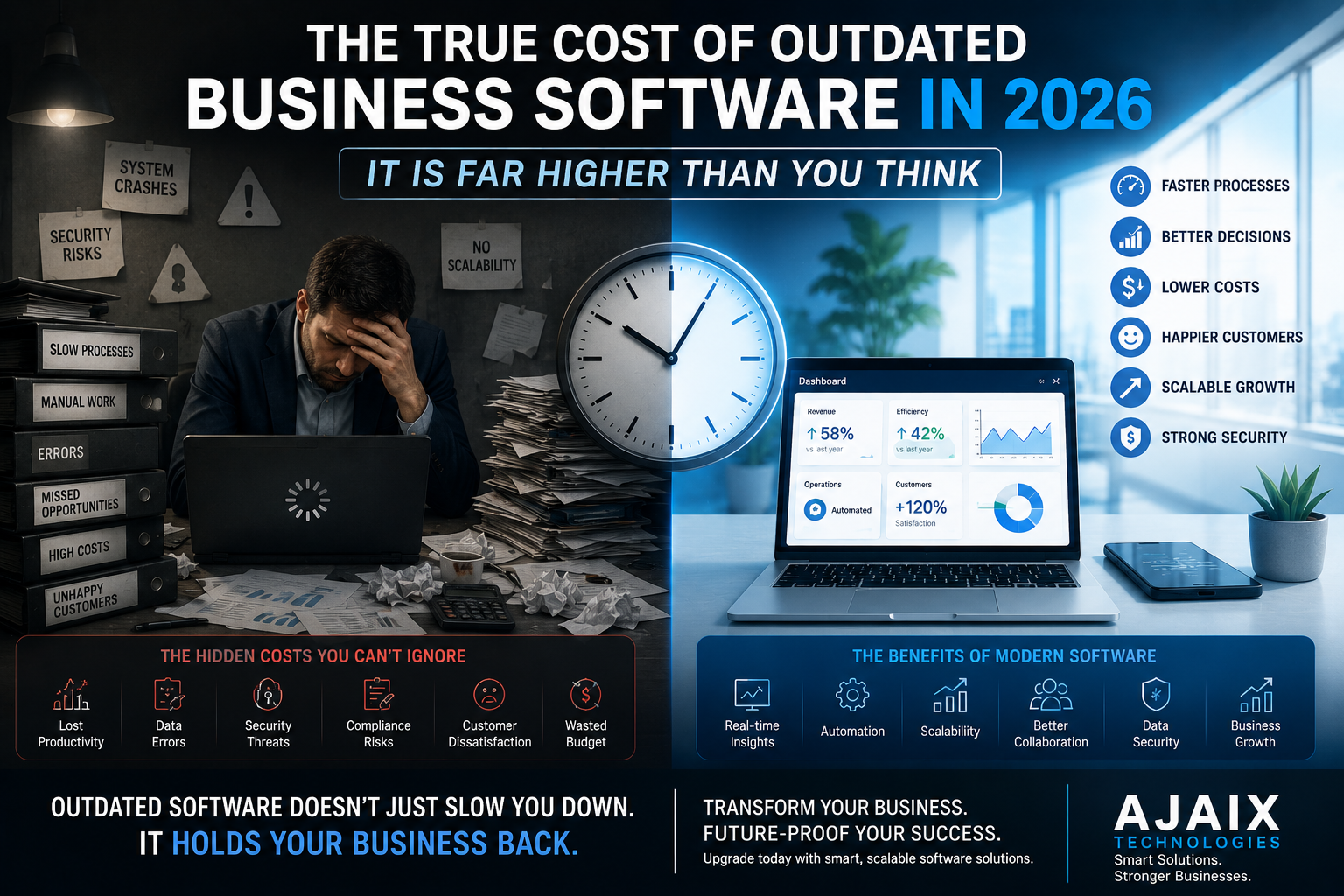
The True Cost of Outdated Business Software in 2026 (It Is Far Higher Than You Think)
Most businesses dramatically underestimate what their outdated software is actually costing them. Beyond licensing fees and maintenance bills, the real cost is measured in lost productivity, security exposure, missed revenue, and the competitive ground surrendered every quarter to businesses that modernized first.
The True Cost of Outdated Business Software in 2026 (It Is Far Higher Than You Think)
There is a conversation that happens in boardrooms and leadership meetings across every industry, and it goes something like this: "The software is old, but it still works. Replacing it would be expensive and disruptive. Let's keep it running for another year."
Another year becomes two. Two becomes five. The software that was already aging when the conversation first happened is now a decade old, running on infrastructure that vendors stopped supporting three years ago, held together by institutional knowledge that lives entirely in the heads of two employees who are approaching retirement.
And the business continues to believe it is saving money.
This is one of the most expensive illusions in modern business. The cost of keeping outdated software is not zero — it is substantial, compounding, and distributed across your organization in ways that rarely appear on a single line in the budget. It shows up in productivity losses so gradual they have become normalized. In security incidents that were entirely predictable. In talented employees who left because the tools they were asked to use made their jobs harder than they needed to be. In customers who chose a competitor whose digital experience was simply better.
In 2026, with the pace of technological change accelerating and the competitive gap between digitally mature and digitally stagnant businesses widening every quarter, the cost of inaction has never been higher.
This guide puts a real framework around that cost — and gives you the clarity to make an honest, informed decision about what your outdated software is actually costing your business.
Table of Contents
- What Counts as Outdated Business Software?
- The Productivity Tax: What Your Team Loses Every Day
- The Security Exposure: A Risk That Grows Every Quarter
- The Compliance Liability: Regulations Did Not Wait for Your Software
- The Integration Deficit: When Your Systems Cannot Talk to Each Other
- The Talent Cost: What Bad Tools Do to Your People
- The Customer Experience Penalty: What Clients Notice
- The Competitive Gap: The Ground You Are Losing Every Quarter
- The Hidden Maintenance Spiral: Why "Keeping It Running" Gets Costlier Over Time
- How to Calculate What Your Outdated Software Is Actually Costing You
- When to Modernize vs When to Replace
- What a Software Modernization Project Looks Like
- Why Ajaix Technologies for Software Modernization
- Frequently Asked Questions
1. What Counts as Outdated Business Software? {#what-counts-as-outdated}
Before quantifying the cost, it is worth defining what "outdated" actually means — because the answer is not simply "old."
Software is outdated when one or more of the following is true:
- It runs on an unsupported technology stack — the programming language, framework, database, or operating system it depends on no longer receives security patches or updates from its vendor
- It cannot integrate with modern tools — it lacks APIs or integration capabilities that allow it to connect to other systems your business uses or wants to use
- It was not designed for how your business operates today — the workflows it supports reflect how your business worked when the software was built, not how it works now
- It requires specialist knowledge that is increasingly rare — the skills required to maintain and develop it are held by a shrinking pool of developers who command premium rates
- It cannot run in modern infrastructure — it is incompatible with cloud deployment, containerization, or modern security architectures
- Its vendor has announced end-of-life — support, security patches, and updates have been discontinued or have a known discontinuation date
By this definition, "outdated" is not about age alone — a well-maintained ten-year-old application built on a modern stack might be perfectly adequate, while a five-year-old application built on a deprecated framework with no API layer might already be a significant liability.
The question is not how old the software is. The question is what it can and cannot do, and what keeping it costs.
2. The Productivity Tax: What Your Team Loses Every Day {#productivity-tax}
The most pervasive cost of outdated software is the one that never appears on an invoice: the daily productivity drain imposed on every employee who uses it.
This cost is invisible precisely because it has been normalized. When a team has used the same slow, cumbersome system for years, the workarounds become habit, the manual steps become routine, and the frustration becomes background noise. Nobody files a report saying "I spent 40 minutes today doing something the software should have done automatically." They just do it, every day, and the cost accumulates invisibly.
What the Productivity Tax Looks Like
Manual data re-entry between systems that do not integrate. Waiting for slow load times on systems that were not designed for current data volumes. Generating reports by exporting data to spreadsheets and manually manipulating it — because the system's built-in reporting cannot produce what the business needs. Navigating interfaces designed for workflows that no longer reflect current processes. Training new employees on systems so unintuitive that reaching basic proficiency takes weeks.
The Numbers Behind It
If each of your employees using outdated software loses an average of 45 minutes of productive time per day to software-related friction — a conservative estimate for genuinely aged systems — a team of 20 people is losing 150 hours of productive capacity every week. At an average fully-loaded employment cost, the annual productivity loss from that friction alone runs well into six figures for a mid-sized team.
This is not a theoretical cost. It is real time, spent on real tasks, that could be eliminated by software that works properly.
3. The Security Exposure: A Risk That Grows Every Quarter {#security-exposure}
Outdated software is not just inefficient — it is dangerous. And in 2026, with cybersecurity threats more sophisticated and more frequent than at any previous point, running unsupported software is one of the highest-risk decisions a business can make.
The mechanism is straightforward: when software vendors discontinue support for a product, they stop issuing security patches. Vulnerabilities discovered after the end-of-support date — and they will be discovered, because security researchers and malicious actors alike continue to probe old software indefinitely — go unpatched. Every unpatched vulnerability is an open door for attackers who know the software has been abandoned by its vendor.
The Threat Landscape in 2026
Ransomware attacks targeting businesses running legacy systems are not theoretical — they are documented, frequent, and devastating. The average cost of a ransomware incident for a mid-sized business in 2026 encompasses not just any ransom payment but the operational downtime, incident response costs, data recovery expenses, regulatory penalties where applicable, and reputational damage that follows.
Beyond ransomware, outdated software with poor security architecture often has vulnerabilities in authentication, session management, data encryption, and API security that were acceptable practice when the software was built but represent serious exposures by current standards.
The Compliance Dimension
Many businesses running outdated software are not just exposed to security incidents — they are exposed to regulatory penalties. GDPR, industry-specific data protection requirements, and sector regulations often mandate that businesses maintain software at supported, patched versions. Running end-of-life software in a regulated environment is frequently a compliance violation in its own right, regardless of whether a breach occurs.
4. The Compliance Liability: Regulations Did Not Wait for Your Software {#compliance-liability}
The regulatory environment for data handling, financial reporting, accessibility, and sector-specific compliance has evolved significantly in recent years — and continues to evolve. Outdated software, designed to the compliance standards of a previous era, often cannot meet current requirements without modification that its aging architecture makes difficult or impossible.
Common Compliance Gaps in Legacy Software
Data privacy: Software built before GDPR and equivalent regulations were enacted rarely has built-in mechanisms for data subject access requests, right to erasure, consent management, or data residency controls. Retrofitting these capabilities onto legacy architectures is technically complex and expensive — often more expensive than building them into a modern replacement from the start.
Accessibility: Web Content Accessibility Guidelines (WCAG) standards have evolved, and many legacy web applications fail to meet current requirements. In jurisdictions where digital accessibility is legally mandated — an expanding list in 2026 — this is not just an ethical gap but a legal exposure.
Financial and audit requirements: Modern accounting standards, tax reporting requirements, and audit trail obligations may require data capture and reporting capabilities that legacy financial software cannot provide without significant customization.
Industry-specific regulation: Healthcare software must meet current HIPAA standards. Financial services software must meet current financial conduct requirements. These standards evolve — and software that met them when it was built may not meet them today.
The cost of compliance gaps is not hypothetical. Regulatory investigations, audit failures, and enforcement actions all carry direct financial consequences that can significantly exceed the cost of modernization.
5. The Integration Deficit: When Your Systems Cannot Talk to Each Other {#integration-deficit}
Modern business operations depend on data flowing between systems. Your CRM needs to inform your billing system. Your e-commerce platform needs to update your inventory management. Your HR system needs to connect to your payroll provider. Your reporting dashboard needs to draw from your operational database in real time.
Outdated software — particularly software built before API-first architecture became standard practice — frequently cannot participate in this data ecosystem without significant custom integration work. The result is one of the most costly operational patterns in business technology: manual data bridging.
The Manual Bridging Tax
When systems cannot integrate, humans become the integration layer. Data is exported from one system, manipulated in a spreadsheet, and imported into another. Reports that should be automated are compiled manually. Decisions that should be made on real-time data are made on information that is days or weeks old by the time it has been manually transferred and formatted.
Beyond the productivity cost, manual data bridging introduces error rates that automated integration eliminates. Transcription errors, version control problems, and the simple reality that manual processes are skipped under time pressure all mean that decisions are sometimes made on data that is incomplete, incorrect, or out of date.
The Strategic Cost of Isolation
A business whose core systems cannot integrate with modern AI tools, analytics platforms, or customer-facing technologies is not just operationally inefficient — it is strategically constrained. The AI-powered capabilities that are becoming standard features of competitive business operations in 2026 depend on clean, accessible, real-time data. Legacy software that cannot provide this data is not just a technical problem — it is a strategic one.
6. The Talent Cost: What Bad Tools Do to Your People {#talent-cost}
The relationship between software quality and talent retention is underappreciated in most business technology conversations — but it is real, measurable, and increasingly significant in 2026's talent market.
Talented people have options. And talented people, given the choice between working with modern, capable tools that make their jobs easier and working with legacy systems that make their jobs harder, will — over time — choose the former. Not always immediately, and rarely as the sole reason for a resignation, but as a consistent contributing factor to the decisions that lead talented employees to leave.
The Recruitment Signal
Outdated software also affects recruitment. Candidates evaluating a prospective employer form impressions of the organization's technological sophistication during the hiring process — and the state of the tools they will be expected to use is part of that impression. In competitive talent markets, businesses running visibly outdated systems face a quiet but real disadvantage in attracting candidates who have modern alternatives available.
The Knowledge Concentration Risk
Legacy systems create a specific and serious talent risk: knowledge concentration. When software is old enough that only two or three people in the organization deeply understand how it works, how it was configured, and what its undocumented quirks are, the business is exposed to a single-point-of-failure risk that no disaster recovery plan can fully address. The departure, extended absence, or retirement of a key knowledge holder can leave a business unable to operate critical systems effectively.
In 2026, with an aging workforce and accelerating retirements in many industries, this risk is not theoretical — it is imminent for businesses that have not addressed their legacy system dependencies.
7. The Customer Experience Penalty: What Clients Notice {#customer-experience}
For businesses whose outdated software touches customer-facing processes — client portals, booking systems, e-commerce platforms, support tools, reporting dashboards — the cost of aging technology is not just internal. It is visible to the customers whose experience, loyalty, and lifetime value depend on the quality of every interaction they have with your business.
Customer expectations for digital experiences have risen dramatically and continue to rise. Interactions that felt acceptable in 2019 feel dated and frustrating in 2026 — slow load times, clunky interfaces, lack of mobile optimization, inability to self-serve on tasks that should be simple, manual processes where automation is expected.
The Silent Churn Factor
Customer churn driven by poor digital experience is particularly insidious because it rarely declares itself clearly. Customers do not typically send an exit survey explaining that your client portal was too slow and your competitor's was not. They simply renew elsewhere. The causal link between software quality and customer retention is real but rarely captured in standard churn analysis — which means businesses often underestimate how much of their customer attrition is software-driven.
The Acquisition Implication
Poor customer-facing software also affects acquisition. In industries where digital experience is part of the evaluation criteria — which in 2026 means most industries — a weak digital presence is a competitive disadvantage at the consideration stage, before a customer relationship has even begun.
8. The Competitive Gap: The Ground You Are Losing Every Quarter {#competitive-gap}
Every quarter that your business continues to operate on outdated software, competitors who have modernized are compounding their advantage. This is the cost that is hardest to quantify and easiest to underestimate — but it is arguably the most significant.
Businesses that have modernized their core software in the last three years are operating with measurably lower administrative overhead, faster decision-making cycles powered by real-time data, more personalized customer experiences driven by AI and analytics, and the ability to deploy new capabilities in weeks rather than the months or years that legacy system constraints impose.
The Compounding Nature of the Gap
Technology investment compounds in the same way that financial investment does. A business that modernized its core platform three years ago and has continued iterating since then is not three years ahead — it is significantly further ahead, because each improvement built on the previous ones, because the team has accumulated expertise with modern tools and practices, and because the data assets accumulated in a modern system are richer and more usable than those trapped in a legacy one.
Conversely, every year of delayed modernization is not just a year of standing still. It is a year of falling further behind competitors who are not standing still.
9. The Hidden Maintenance Spiral: Why "Keeping It Running" Gets Costlier Over Time {#maintenance-spiral}
One of the most pernicious aspects of legacy software cost is that it does not stay constant — it grows. The longer outdated software is kept in operation, the more expensive it becomes to maintain, and the more this maintenance cost crowds out investment in the modernization that would end the spiral.
Why Maintenance Costs Escalate
Developer scarcity: As programming languages and frameworks age out of the mainstream, the pool of developers who can work on them shrinks. Those who remain command premium rates. Finding a developer who can maintain a PHP 5 application or a classic ASP system in 2026 is both difficult and expensive.
Increasing fragility: Aging software accumulates technical debt — workarounds, patches, and integrations that made sense at the time but collectively make the system increasingly brittle. Each new change carries a higher risk of unintended consequences, which means changes take longer, require more testing, and more often introduce new problems.
Infrastructure obsolescence: Legacy software often depends on infrastructure — specific server configurations, deprecated database versions, outdated operating systems — that is itself becoming harder and more expensive to run and support.
The patch-and-pray cycle: Security vulnerabilities in unsupported software cannot be patched by the vendor. The options are expensive custom patches, compensating controls that add cost and complexity, or accepting the risk. None of these gets cheaper over time.
The maintenance spiral is real: businesses that choose to "keep it running" typically find that the annual cost of doing so increases year over year, while the capability of what they are running relative to modern alternatives decreases. The economics of modernization improve every year that modernization is delayed — and not in favor of delay.
10. How to Calculate What Your Outdated Software Is Actually Costing You {#how-to-calculate}
Putting a number on the total cost of outdated software requires looking across all the cost categories above. Here is a practical framework for doing this in your own business:
Direct Costs (Measurable)
- Annual licensing, support, and maintenance fees for the legacy system
- Developer costs for ongoing maintenance and emergency fixes
- Infrastructure costs for hardware or hosting required to run legacy software
- Any custom integration work required because the system cannot integrate natively
Productivity Costs (Estimable)
- Hours per week per employee spent on manual workarounds, data re-entry, or compensating for system limitations
- Multiply by number of affected employees, average hourly cost, and 52 weeks
- Add: time spent training new employees on unintuitive legacy systems
Risk Costs (Probabilistic)
- Estimated cost of a security incident (industry benchmarks exist for your sector) multiplied by the estimated probability given your current security posture
- Regulatory penalty exposure if compliance gaps are identified
- Business disruption cost for periods of system unavailability
Opportunity Costs (Strategic)
- Revenue impact of customer churn attributable to poor digital experience
- Revenue opportunities not pursued because the software cannot support them
- Competitive position erosion relative to modernized competitors
For most businesses that go through this exercise honestly, the total annual cost of their outdated software significantly exceeds the cost of a modernization project — often within the first two to three years of comparison.
11. When to Modernize vs When to Replace {#modernize-vs-replace}
Not every outdated software situation calls for a complete replacement. Understanding the difference between modernization and replacement — and knowing which is right for your situation — is essential to making a cost-effective decision.
Modernization (Refactoring and Extending)
Modernization makes sense when the core business logic of the existing system is sound and valuable, but the technical implementation needs updating. This might mean migrating the application to a modern technology stack, adding an API layer to enable integration, improving the user interface without rebuilding underlying functionality, or extracting specific modules for replacement while retaining others.
Modernization is typically less disruptive and less expensive than full replacement, but it requires that the existing codebase is sufficiently well-structured to be worth refactoring. Legacy code that has accumulated decades of patches and workarounds is sometimes cheaper to replace than to untangle.
Replacement (Rebuilding)
Replacement is the right choice when the existing software's fundamental architecture cannot support what the business needs, when the business processes it supports have changed so significantly that a fresh design is more efficient than extending the old one, or when the codebase is so fragile that modernization carries unacceptable risk.
The decision between modernization and replacement should be made by an experienced technical team after a thorough assessment of the existing system — not by assumption, cost avoidance, or the path of least resistance.
12. What a Software Modernization Project Looks Like {#what-modernization-looks-like}
A well-executed software modernization project follows a structured process that manages risk while delivering measurable value at each stage.
Discovery and Assessment
A thorough technical audit of the existing system: what it does, how it is built, what its dependencies are, where the technical debt is concentrated, and what the business requires from a replacement or modernized version. This phase produces the information needed for accurate planning and honest cost estimation.
Architecture and Design
Definition of the target architecture — the technology stack, integration patterns, data model, and deployment approach for the modernized or replacement system. This is where the decisions that determine the long-term quality of the outcome are made.
Phased Development
Rather than a single "big bang" replacement that carries maximum risk, well-managed modernization projects deliver value in phases. Core functionality is migrated or rebuilt first, allowing parallel operation and validation before the legacy system is decommissioned.
Migration and Transition
Data migration from the legacy system, parallel running periods to validate the new system against the old, and structured transition of users and processes to the new platform — with appropriate training and change management support.
Post-Launch Iteration
Software modernization is not a one-time event. The first release of a modernized system is the beginning of an ongoing development relationship — with features, performance improvements, and integrations added iteratively as the business's needs evolve.
13. Why Ajaix Technologies for Software Modernization {#why-ajaix}
At Ajaix Technologies, we are a full-stack software development company based in Mansehra, Pakistan, specializing in high-performance web development, AI integration, and scalable enterprise architecture. Software modernization is one of our core service areas — and we bring a distinctive approach to it.
We Start with Assessment, Not Assumptions
Every modernization engagement begins with a thorough technical and business assessment of the existing system. We do not assume replacement is the right answer — we evaluate the evidence and recommend the approach that delivers the best outcome for your specific situation.
We Build for the Long Term
The systems we build are designed to last — using modern, well-supported technology stacks, clean and documented codebases, and architectures that can accommodate growth and change without requiring another modernization cycle in five years.
We Manage Risk Through Phased Delivery
We do not ask clients to bet everything on a single release. Our phased delivery approach means value is realized early and risk is managed throughout — with each phase validated before the next begins.
We Handle the Full Stack
From legacy system assessment and data migration through new system architecture, frontend development, backend development, API integration, cloud deployment, and post-launch support — our team handles the complete technical scope. One accountable partner across the entire project.
We Transfer Everything to You
All source code, documentation, and intellectual property developed during your project belongs entirely to you. No vendor lock-in. No proprietary platform dependencies. Complete ownership from day one.
Book a free legacy system assessment with the Ajaix Technologies team →
We will review your current software landscape, identify the highest-cost legacy system dependencies, and give you an honest assessment of modernization options and their expected return. No pressure. No generic report. Just a direct, useful conversation.
14. Frequently Asked Questions {#faq}
How do I know if my software is outdated enough to warrant action? If your software runs on an unsupported technology stack, cannot integrate with tools you need, requires specialist knowledge that is hard to find, or is visibly limiting your team's productivity or your customers' experience — it warrants a serious assessment. The framework in Section 10 will help you put a number on the cost.
Is it always better to replace rather than modernize? No. The right answer depends on the quality of the existing codebase, the gap between current and required capabilities, and the cost of each path. A proper technical assessment is the only reliable way to determine which approach is more cost-effective for your specific situation.
How long does a software modernization project typically take? Scope-dependent. A targeted modernization of a specific module or the addition of an API layer to an existing system might take two to three months. A full replacement of a complex enterprise application might take twelve to eighteen months, delivered in phases. A thorough scoping exercise will produce a realistic estimate for your specific project.
What happens to our data during a migration? Data migration is one of the most critical phases of any modernization project. It requires careful mapping of the existing data structure to the new one, data cleansing where the legacy data has quality issues, validation processes to confirm migration accuracy, and rollback planning in case issues are discovered post-migration. Experienced development partners treat this with the seriousness it deserves.
Can we keep running the old system while the new one is being built? Yes — and for most business-critical systems, this is the right approach. Parallel operation during a transition period allows the new system to be validated against the old before the legacy system is decommissioned, significantly reducing the risk of business disruption.
How do we justify the investment internally? The framework in Section 10 gives you the structure for a total cost of ownership comparison — current annual cost of the legacy system (direct, productivity, risk, and opportunity costs) versus the annualized cost of a modernized replacement. For most organizations that go through this exercise honestly, the economic case for modernization is straightforward.
The Cost of Waiting Is Not Zero
Every year your business continues to operate on outdated software is a year of compounding productivity loss, growing security exposure, widening competitive gap, and escalating maintenance cost. The decision to delay modernization is not a decision to avoid cost — it is a decision to pay a different, less visible, and ultimately higher cost instead.
The businesses that will lead their industries in 2026 and beyond are not the ones that spent the least on technology. They are the ones that invested in the right technology at the right time — and built the operational foundation that compounds in their favor every year afterward.
Start the conversation with Ajaix Technologies today →
Ajaix Technologies — Engineering the Future. Based in Mansehra, Pakistan. Serving clients globally. ajaix.com · [email protected]